
Updated July 2026
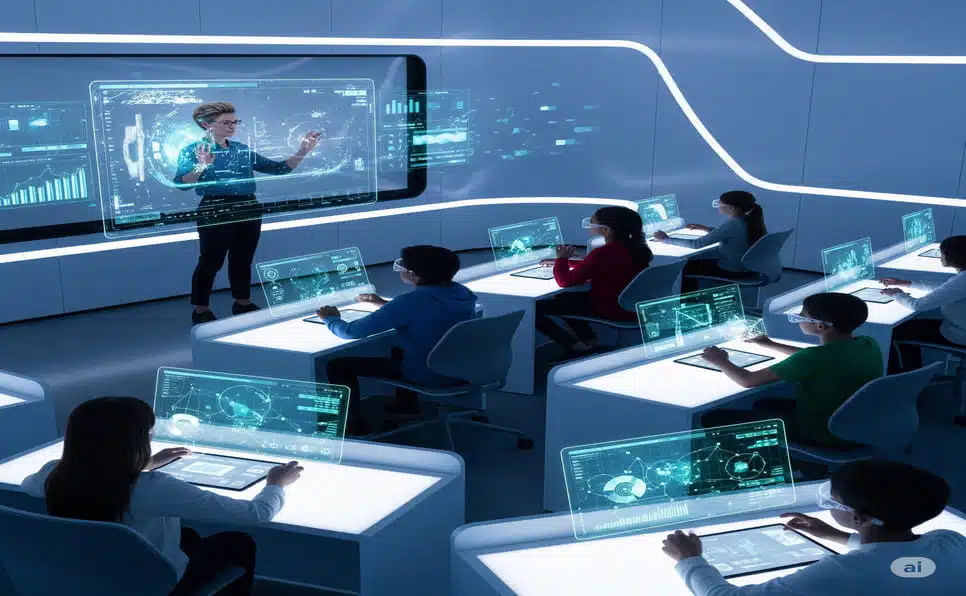
Online learning has become a normal part of everyday education. Teachers and students now rely on digital classroom tools daily to stay connected, share lessons, complete homework, and manage assignments from anywhere. We look closely at how technology is shaping virtual classrooms and making remote learning easier for everyone involved.
If you’re a teacher or student, you’ve probably already come across platforms like Google Classroom, Desmos, or the AP Classroom Lockdown Browser. Each of these e-learning tools serves a different purpose — from setting up a full virtual classroom to securely managing exams.
This guide covers how to set up a Google Classroom step by step, clears up the confusion around the term “Google Classroom 6x,” introduces Desmos Classroom Student for interactive math learning, shows how a Classroom Timer Online helps keep lessons on track, and explains what the AP Classroom Lockdown Browser actually does during exams.
How to Make a Google Classroom (Step-by-Step)
One of the most common questions teachers ask is: how do I make a Google Classroom? The process is simple, free, and takes just a couple of minutes:
- Open your Google account and go to Google Classroom.
- Click the “+” icon in the top right corner.
- Select “Create class.”
- Enter the class name, section, subject, and room number (room is optional).
- Click Create.
That’s it — your virtual classroom is ready. As the teacher, you can invite students by sharing a unique class code. Students simply log in with their own Google account, enter that code, and join the class instantly. No separate learning management system (LMS) license or IT setup is required, since Google Classroom is part of Google Workspace for Education.
Why teachers use it:
- Easy, centralized communication between teachers and students
- Assignments, quizzes, and announcements all live in one place
- Saves time compared to juggling email, printed handouts, and spreadsheets
- Works well for hybrid classrooms, distance learning, and fully remote learning setups
Whether you’re teaching in a school, college, or a private training center, setting up a Google Classroom is usually the first real step toward running an organized digital classroom.
What Does “Google Classroom 6x” Actually Mean?
This is where a lot of confusion comes from, so it’s worth clearing up properly. Google Classroom 6x is not an official Google product or a special hidden version of Google Classroom. Real Google Classroom doesn’t have a “6x edition,” a secret settings menu, or extra unlockable features tied to that name.
In practice, “Google Classroom 6x” (and similar terms like “Classroom 30x” or “unblocked games 6x classroom”) is a name used by third-party websites that host free browser games for students to play at school — often on Chromebooks where regular gaming sites are blocked. These sites borrowed the “Google Classroom” name mainly because it’s a term students already search for constantly on school networks, not because Google built or endorsed them. If you’re specifically looking for that side of things, our full breakdown of classroom 30x games and unblocked games 6x classroom covers what these game hubs actually offer and how to use them responsibly.
For the real Google Classroom, the closest thing to a “6” is that class join codes are typically 6 to 8 characters long — that’s genuinely where a lot of the naming confusion likely started.
A few practical points worth keeping in mind:
- The official Google Classroom help center is the only reliable source for actual features, updates, and troubleshooting.
- Any site claiming to be a “modified” or “enhanced” Google Classroom with extra unlockable features is not affiliated with Google and should be treated with caution, especially around account logins or personal data.
- Schools and IT administrators should rely only on the official Google Classroom app or web portal for actual classroom management and grading.
At TechInGot, our advice is simple: use the real Google Classroom for teaching, assignments, and grading, and treat any “6x” branded site as unrelated entertainment content rather than an actual classroom tool.
Desmos Classroom Student: A Guide for Interactive Math
Math learning can feel tough for a lot of students, which is exactly where Desmos Classroom Student comes in as a genuinely useful classroom tool. Desmos is a free, interactive graphing calculator and activity platform used widely in K–12 and college-level math instruction.
If a teacher gives you a Desmos activity code, here’s how to join:
- Go to student.desmos.com.
- Enter the activity code your teacher shared with the class.
- Log in with your Google account or an email address.
- Work through the activity’s problems at your own pace.
What makes Desmos Classroom Student stand out is that it turns abstract math concepts into something visual and interactive. Instead of solving equations on paper alone, students see graphs update in real time, watch animations respond to their input, and get instant feedback on their work.
Why teachers use Desmos:
- Visual, hands-on learning for algebra, geometry, and calculus concepts
- Teachers can track student progress live during the activity, not just after grading
- Higher student engagement compared to static worksheets
This makes Desmos Classroom Student a strong fit for both traditional classrooms and homeschooling setups that need solid math instruction tools.
Using a Classroom Timer Online for Better Focus
Managing time well is one of the trickier parts of both in-person and online teaching. A Classroom Timer Online gives teachers a simple, visible way to set clear time limits for activities, quizzes, or group discussions.
Why a visible timer actually helps:
- Keeps students focused and aware of how much time is left
- Builds discipline and better time-management habits over the term
- Cuts down on distractions during independent or group work
A few popular Classroom Timer Online options teachers rely on:
- Online Stopwatch — simple, free, and works instantly in any browser
- Classroomscreen Timer — interactive and easy to combine with other classroom widgets
- Google Timer — available directly from the Google search bar with no extra setup
For example, if students get 10 minutes to finish a quiz, having a visible timer on screen keeps everyone aware of the countdown without the teacher needing to announce it repeatedly. It’s a small tool, but it genuinely improves classroom productivity and pacing.
At TechInGot, we consider a Classroom Timer Online a practical, low-cost addition to almost any teacher’s digital toolkit in 2026.
AP Classroom Lockdown Browser Explained
Exam integrity matters a lot in education, and fairness for every student depends on it. The AP Classroom Lockdown Browser is a specialized exam-security tool built to reduce cheating during online and remote assessments.
How it works in practice:
- Once a student launches the Lockdown Browser, they can’t open other apps, browser tabs, or websites during the exam.
- Copy-paste functions are disabled for the duration of the test.
- Teachers and proctors can monitor student activity in real time.
The AP Classroom Lockdown Browser is widely used for Advanced Placement (AP) exams in schools across the US, and students typically need to install it on their device ahead of test day, not the morning of.
Why schools rely on it:
- Stronger exam security compared to a standard browser
- More consistent, fair results across all test-takers
- Less manual monitoring effort for teachers overseeing large groups
If you’re prepping for AP exams, getting familiar with the AP Classroom Lockdown Browser ahead of time saves a lot of last-minute stress on test day itself.
Quick Comparison: Which Tool Does What
| Tool | What It’s For | Official Google Product? |
|---|---|---|
| Google Classroom | Managing assignments, grading, and class communication | Yes |
| “Google Classroom 6x” | Unrelated browser-game hub using a similar name | No |
| Desmos Classroom Student | Interactive math activities and graphing | No (independent ed-tech company) |
| Classroom Timer Online | Managing time for activities and quizzes | No (various free tools) |
| AP Classroom Lockdown Browser | Securing AP exams from cheating | Yes (College Board) |
Bringing It All Together
Now that we’ve covered each of these tools individually, the real question is: how do they fit together in a normal teaching workflow?
A typical setup might look like this:
- A teacher sets up a Google Classroom to share all lessons, assignments, and announcements in one place.
- Math activities get assigned separately through Desmos Classroom Student for a more interactive experience.
- During class, a Classroom Timer Online keeps activities and discussions running on schedule.
- For formal exams, students use the AP Classroom Lockdown Browser to keep testing conditions fair and secure.
- “Google Classroom 6x” doesn’t factor into any of this — it belongs to a separate, unrelated category of student entertainment sites, not classroom management.
Put together properly, this creates a genuinely balanced digital classroom — one built for both structured teaching and focused assessment, without confusing unrelated gaming sites for actual classroom software.
Frequently Asked Questions
Is Google Classroom 6x a real Google product? No. Google Classroom 6x is not made or endorsed by Google. It’s a name used by unrelated third-party browser-game sites, not a version or feature of the real Google Classroom.
Is Google Classroom free to use? Yes, for most educators. Google Classroom is included with a free personal Google account and is also part of Google Workspace for Education plans used by many schools.
Do students need to download anything to join a Google Classroom? No. Students just need a Google account and the class code shared by their teacher — no software installation required.
What is Desmos Classroom Student used for? It’s used mainly for interactive math activities, letting students work through graphing and problem-solving tasks with live, visual feedback.
Why do schools use the AP Classroom Lockdown Browser? To keep AP exams fair and secure by preventing students from accessing other apps, tabs, or copy-paste functions during the test.
Conclusion
Digital classroom tools are here to stay, and platforms like Google Classroom, Desmos, and the AP Lockdown Browser genuinely make teaching and learning smarter and more organized. Knowing how to set up a Google Classroom is the natural first step, while understanding the real difference between actual classroom software and unrelated “6x” branded gaming sites helps avoid confusion — and keeps the focus on tools that actually support learning.
At TechInGot, we believe the future of education depends on using the right technology for the right purpose. Teachers and students who understand these tools clearly today will be far better prepared for the classrooms of tomorrow.