
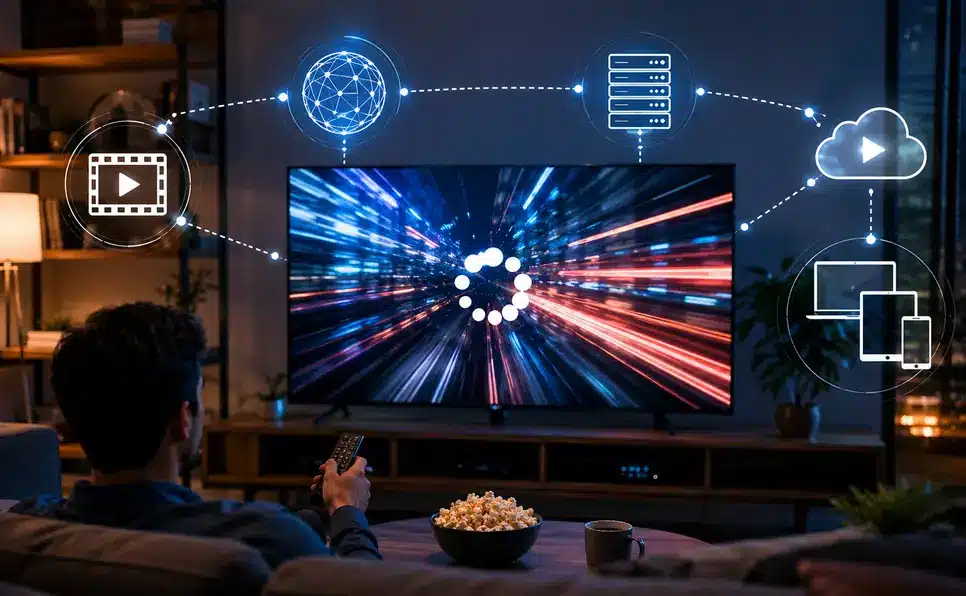
Video streaming technology works by breaking a video into small pieces, compressing each piece with a codec, storing copies on servers spread around the world (a CDN), and sending those pieces to a viewer’s device one after another using a streaming protocol like HLS or MPEG-DASH. The player adjusts video quality on the fly based on connection speed, which is why playback starts almost instantly and rarely stops to buffer.
Press play, and the show just starts. No download bar, no spinning wheel, just video, right away, even in HD. It feels so normal now that almost nobody stops to think about it. But sending an entire episode across the internet in real time, fast enough that it feels instant, is actually a remarkable piece of engineering once someone slows down and looks at it. This guide breaks down exactly how video streaming technology works today, piece by piece.
What Does Streaming Even Mean?
Streaming means watching or listening to something in real time over the internet, without downloading the whole thing first. That’s really it. Old-school downloading forced a viewer to wait for an entire movie to land on a device before watching a single second of it. Video streaming technology skips all of that waiting. It sends small pieces of the video, one after another, playing each piece almost the moment it arrives while the next piece quietly loads behind it.
That’s the whole trick behind why streaming feels instant. A phone or TV isn’t sitting there waiting for a two-hour movie to fully download. It’s grabbing a few seconds at a time, playing them, then grabbing the next few seconds while the viewer keeps watching.
What’s Actually Happening in Those First Few Seconds
A lot happens right after the play button gets pressed, far more than most viewers ever realize.
Video compression and encoding. Raw video is enormous, far too large to send smoothly over the internet as-is. Before anything even gets uploaded, the video goes through an encoding process that squeezes the file size down while trying to preserve as much visual quality as possible.
Content delivery networks. Big streaming platforms don’t keep all their video sitting on one single server. They spread copies across a content delivery network, or CDN for short, a network of servers placed in different regions around the world. When someone hits play, their device usually pulls video from a server that’s physically close to them, not one on the other side of the planet. That’s a big part of why loading feels quick.
Adaptive bitrate streaming. This one matters a lot. While a video plays, the platform quietly checks the viewer’s internet speed in the background and adjusts video quality up or down based on what it finds. A slow connection triggers a drop in resolution to avoid buffering. A strong connection lets quality climb back up, usually without the viewer ever noticing the switch.
Buffering, the good kind. A small cushion of video loads just ahead of what’s currently playing. That cushion keeps things smooth through a brief Wi-Fi hiccup. Without it, every minor internet blip would freeze the show.
The Streaming Protocols Making It All Possible
This is a piece that gets skipped in a lot of streaming explainers, but it’s genuinely central to how the whole system works: the streaming protocol.
A streaming protocol is the specific set of rules a platform uses to package and deliver adaptive bitrate video over the internet. The two most common protocols today are:
- HLS (HTTP Live Streaming), developed by Apple, which splits video into short segments and delivers them over standard HTTP, the same technology that loads regular web pages. It’s supported almost everywhere and works especially well on Apple devices.
- MPEG-DASH (Dynamic Adaptive Streaming over HTTP), an open, codec-agnostic standard that works similarly to HLS but isn’t tied to any single company, making it popular with platforms that want more flexibility across devices.
Underneath both protocols sits a transport layer choice between TCP and UDP. Most on-demand streaming relies on TCP because it guarantees every data packet arrives, which matters for smooth movie playback. Some live and real-time applications lean on UDP instead, trading a bit of reliability for speed, since a slightly imperfect frame beats a frozen one during a live broadcast.
Why Video Codecs Matter More Than People Realize
Codecs never get any credit, but they’re doing serious work behind the scenes. A codec is the method used to compress and then decompress video efficiently. Without one, video files would stay far too large for smooth streaming.
Streaming platforms typically rely on a small set of codecs, each with its own trade-offs:
- H.264 (AVC) remains the most widely supported codec, balancing quality and file size well enough to work across nearly every device made in the last decade.
- H.265 (HEVC) compresses more efficiently than H.264, which is why it’s commonly used for 4K content.
- VP9, an open-source codec developed by Google, powers much of YouTube’s streaming.
- AV1, a newer royalty-free codec, is gaining ground because it compresses even more efficiently than HEVC, though it demands more processing power to encode.
- AAC handles audio compression in most video streams, doing for sound what H.264 does for picture.
As these codecs keep improving, streaming platforms manage to deliver sharper video without needing dramatically more data, which matters enormously for viewers on capped or limited internet plans.
How Streaming Platforms Protect Content
Content protection is another piece that’s easy to overlook until it breaks. Most major platforms use DRM (Digital Rights Management) systems like Widevine, PlayReady, or FairPlay to encrypt video streams so they can only be decoded by an authorized, licensed player. This is why a downloaded stream file, even if someone manages to grab one, usually won’t play anywhere else. Licensing agreements between studios and platforms also drive some of the regional restrictions viewers run into, since a studio may only license a show for streaming in certain countries.
Why Does Streaming Sometimes Buffer or Lag Anyway?
Buffering happens when a device can’t pull down video fast enough to keep up with playback. A few usual suspects cause most of it.
A slow or shaky internet connection is the biggest one, especially on a home network with five devices all competing for bandwidth at once. Sometimes it isn’t the connection at all; it’s the server. During a massive, hyped release, huge numbers of people stream the same thing at once, and even large platforms feel that pressure for a bit. Older devices can slow things down too, since they process high-resolution video less efficiently than newer hardware. And plain old Wi-Fi interference deserves some blame as well, especially in bigger homes where the signal weakens by the time it reaches a back bedroom.
Live Streaming vs. On-Demand: Not the Same Challenge At All
Watching a regular Netflix show and watching something live, like a sports game or a live gaming stream, are two very different technical challenges, even though they look identical on screen.
Live streaming has to compress, send, and deliver video to viewers almost the exact moment it’s happening, all within a few seconds of the real event. That leaves almost no room to fix or clean anything up. On-demand content, by contrast, gets fully processed and polished long before it ever reaches a viewer’s screen.
That’s basically why live streams sometimes glitch or dip in quality for a second in a way on-demand shows usually don’t.
Why Streaming Basically Replaced Downloads and DVDs
It’s worth pausing on why streaming took over the way it did, since the reasons explain a lot.
Instant access removed the slow download wait before anything even starts. Adaptive bitrate streaming keeps playback going smoothly even when internet speed dips, instead of stopping cold. There’s far less storage hassle too, since nobody needs to keep giant video files sitting on a device forever. And it works everywhere, phone, tablet, smart TV, laptop, all pulling from the same library without separate downloads for each device.
The Problems Streaming Still Hasn’t Fixed
Even with all this engineering, streaming still runs into real snags.
Bandwidth limits in certain areas make smooth, high-quality streaming genuinely hard, especially anywhere internet infrastructure hasn’t caught up yet. Server costs stay high too, since running a global content delivery network isn’t cheap and never really stops costing money. Licensing restrictions are their own headache, limiting what’s available depending on region, which is one of the most frustrating parts of streaming for a regular viewer. And security concerns, piracy especially, keep pushing platforms to tighten protection on their end, a topic covered in more depth in TechInGot’s guide on Big Tech’s role in cybersecurity.
Small Things That Actually Help With Buffering
A few small adjustments tend to make a real difference when streaming quality isn’t cooperating.
Moving a Wi-Fi router somewhere more central instead of a tucked-away corner helps immediately. Closing background apps that are quietly hogging bandwidth frees up real capacity. Manually dropping the resolution helps when buffering keeps happening even on a decent connection. Restarting the router now and then clears small connectivity issues that build up over time. And for anything where consistent quality really matters, like a smart TV in the living room, a wired connection beats relying on Wi-Fi.
Where This Technology Is Headed
Video streaming technology keeps moving forward, with more focus lately on higher resolution formats, more efficient compression like AV1, and lower latency, especially for live streaming. The rollout of 5G and edge computing is pushing latency down even further by processing video closer to where it’s actually being watched. Cloud gaming, which is really just streaming an entire interactive video game in real time, pushes this same underlying tech even harder than regular video ever did, since a laggy game is far more noticeable than a laggy movie. For more on how mobile hardware is adapting to handle this kind of real-time processing, see TechInGot’s coverage in the Mobile & Gadgets section.
Frequently Asked Questions
What is the main technology behind video streaming?
Video streaming relies on a combination of compression (codecs), global server networks (CDNs), adaptive bitrate streaming, and delivery protocols like HLS or MPEG-DASH working together to send video in small, continuously loading pieces instead of one large file.
Why does Netflix load instantly but sometimes still buffer?
Instant loading comes from CDNs serving video from a nearby server and adaptive bitrate streaming starting at a safe quality level. Buffering afterward usually points to a genuinely slow connection, network congestion from other devices, or occasionally heavy server demand during a major release.
What’s the difference between HLS and MPEG-DASH?
Both protocols deliver adaptive bitrate video over standard web infrastructure. HLS, built by Apple, has near-universal device support. MPEG-DASH is an open standard not tied to one company, giving platforms more flexibility across different codecs and devices.
Is live streaming technically harder than on-demand streaming?
Yes. Live streaming has to compress and deliver video within seconds of it happening in real life, leaving no room for the kind of processing and quality polishing that on-demand content goes through before release.
Does streaming quality depend on the device, not just the internet connection?
Both matter. A weak connection is the most common cause of buffering, but an older device that struggles to decode high-resolution video efficiently can also hold playback quality back even on a fast connection.
Final Thoughts
Streaming feels effortless from the viewer’s side. Press play, watch the show, done. But underneath that simplicity sits a genuinely complex system: video compression, global server networks, streaming protocols, content protection, and constant real-time quality checks, all working together within milliseconds just to keep playback smooth.
So the next time a show loads instantly with zero buffering, that’s not luck. That’s a whole stack of quiet engineering doing its job in the background, every single time the play button gets pressed.
Sources: technical background referenced from Apple’s HLS specification, MPEG-DASH standards documentation, and industry streaming technology guides from Dacast and VdoCipher.